XenForo 2.x Add-Ons
Media Filter for XenForo 2.x
Performance-optimized media filter and search based on custom fields.
Screenshots
Description
Add-On Overview
The add-on allows to filter and search media based on Media fields. This will allow your users to find the media they are interested in quickly and accurately.
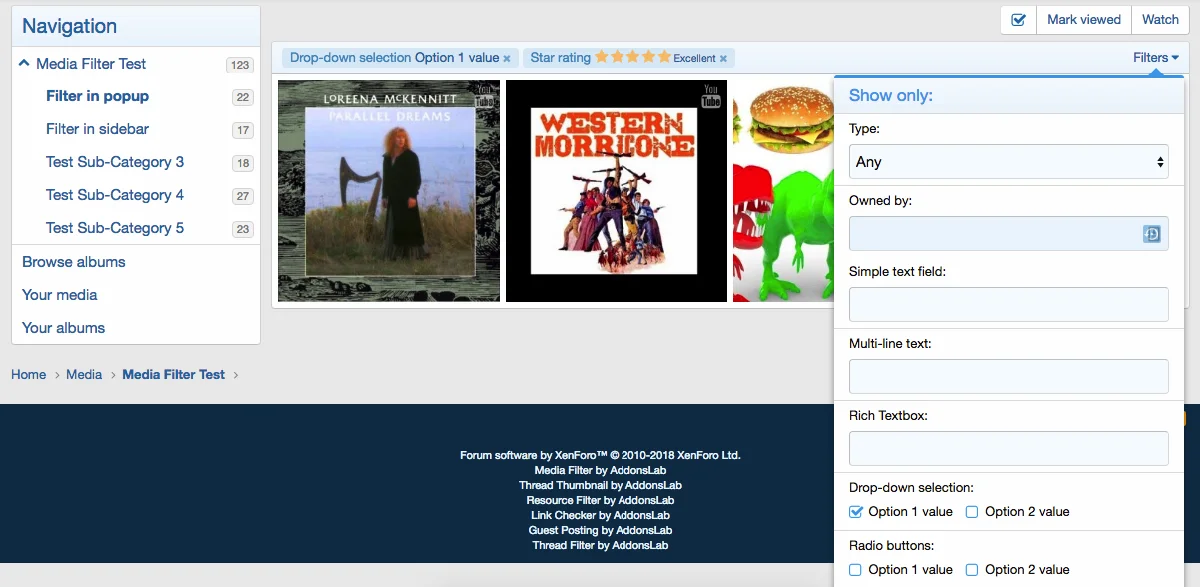
The controls to filter the media are added to Filters popup in Media homepage and categories:
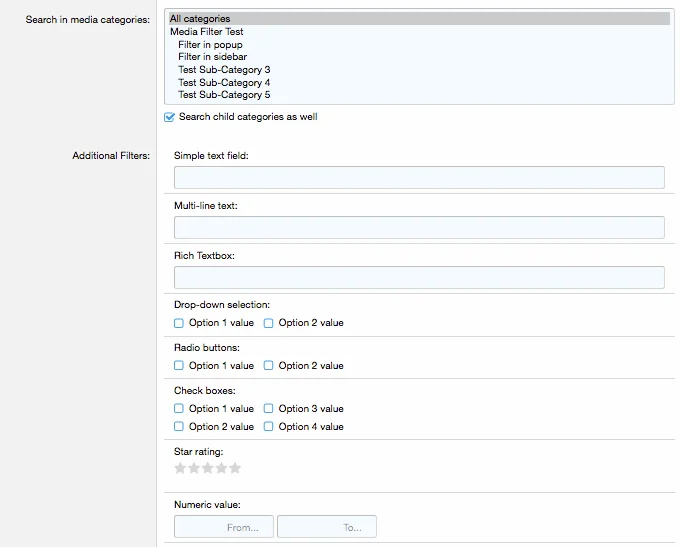
Media Search page is also enhanced to show filter controls when the forum being searched currently has custom fields associated with it:
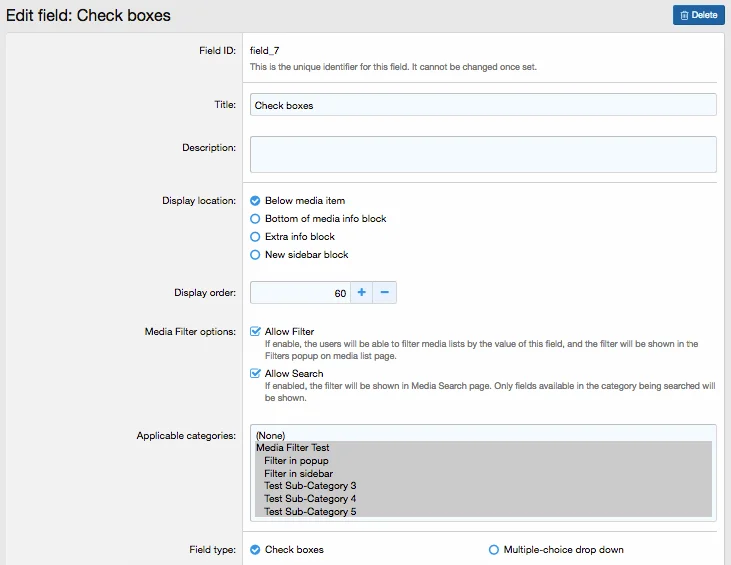
Each field can be configured separately to be shown in the filter list and/or in the search form:
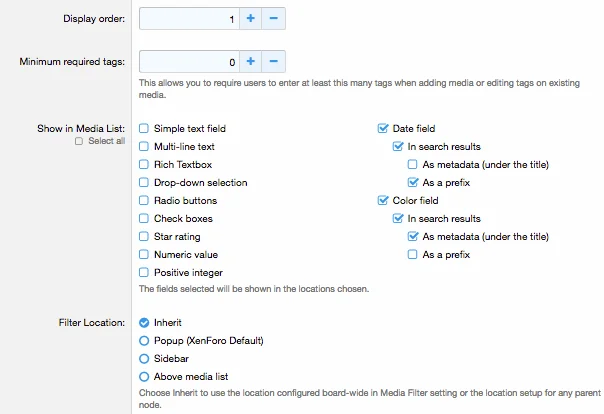
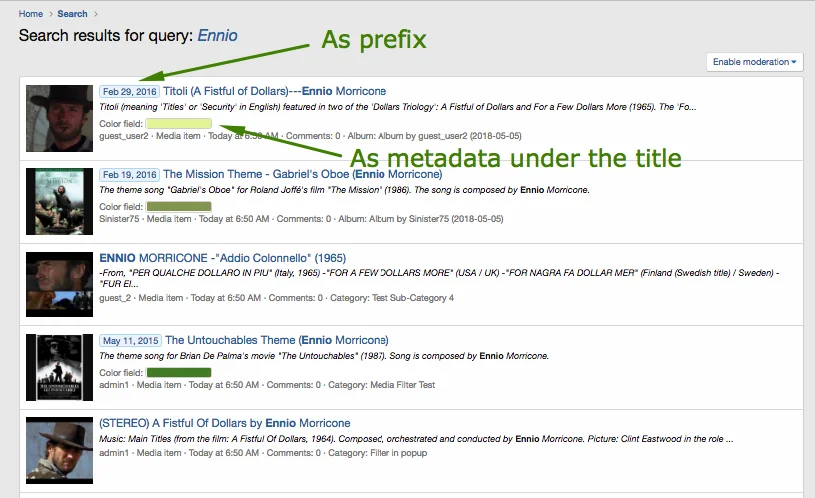
Each category can be configured to show the values of custom fields in search views - as a prefix or under the title:
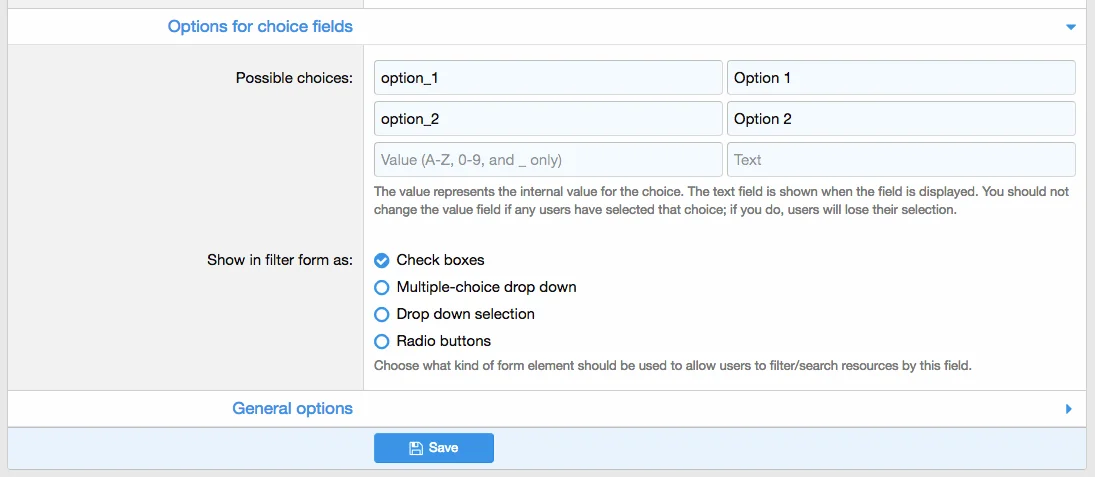
Choice fields **can be configured to be shown in the forms using Check boxes and Multiple-choice drop down (allow searching/filtering by multiple values) or Drop down selection/Radio buttons (allow searching/filtering only by single value).
Date fields and numeric fields **are shown as interval inputs (from... to...) where both fields are optional, so it is possible to search any values higher/lower than the defined values or in some particular interval.
Color fields are also supported and color similarity algorithm is implemented. All items with visually similar colors are found and listed. An example search listing media filtered by color similarity can be seen here The index of color similarity is configurable and can be set from product's options page:
Text fields are searched and indexed just like media title/description itself. Full-text search is executed with fuzzy matching, meaning the phrase searched does not have to be in exactly the same order as in the query.
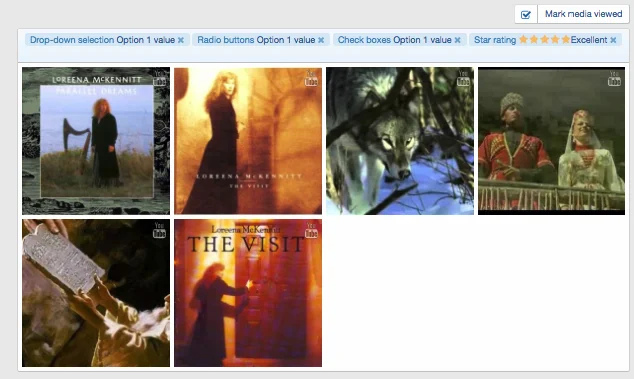
Media list shows all active filters. Clicking each filter will remove the field and re-run the search with the remaining filters:
The product allows moving the filters from the default location in a popup to the sidebar or above media list, configured per category or globally.
Xenforo Enhanced Search and Elastic Search support
The add-on has special support for Enhanced Search add-on with Elasticsearch back-end. Custom field information is indexed as separate content type in Elasticsearch. A high-performance algorithm is implemented to filter millions of records and show only the media matching filter criteria. Custom fields are searched only once, and the result is cached for subsequent pages. Even though the product performs completely fine without Enhanced Search add-on, it is highly recommended to use this add-on and Elasticsearch on large databases.
Planned Features
Filtering media based on tags is planned to be implemented.
Sortable custom field options
Our add-on at Sort Field Options for XenForo 2.x allows admins to sort custom field options when they create/edit the field in Admin Panel. The order in admin panel affects the order in which the options are shown to the users on add/edit media form as well as in the filters. The add-on costs $20.00 USD but it is a free module we provide with every license of Media Filter. Feel free to contact us if you need a license and we will assign it to your account immediately.
Trial Version
We offer seven days free trial version on our website. No credit card is required, the service is approved automatically upon registration and confirmation of order.
IonCube Loader and PHP 5.6+ version are required to run trial version of the product. The full version does not have such requirement and does not have any encoded code in it.
Demo
The product is active on our forums at https://xf2.addonslab.com/index.php and can be tested at https://xf2.addonslab.com/index.php?media/
Registered user accounts
Username: user1
Password: userpass
Username: user2
Password: userpass
Admin account
Username: admin1
Password: adminpass
Licensing Information
You will get a License Key upon purchase/trial subscription, which will be available in My Services page at https://customers.addonslab.com/marketplace.php/my-services/
The key should be entered in product's Options page in XenForo Admin Panel. Once entered and saved you will see full details about your current license status. The key can be used only on one board and one server, so if you move the board you need to Reissue the license in My Services page.
The product does not include any callbacks, that execute on page load time on front-end or via cron jobs. License check is done only when you edit/save product's options or upgrade the product to the next version.
We require valid XenForo license to purchase the product. You will be asked for XenForo License validation information during the purchase.
Full details at https://addonslab.com/threads/product-licensing-information.81/
Support
Support will be provided in the Discussion Thread at XenForo.com and in our Support System at https://customers.addonslab.com/submitticket.php
Feel free to contact us with any issues you find in the product or any suggestions.
Check out our free and paid XenForo add-ons in our Marketplace at https://customers.addonslab.com/marketplace.php
Releases
Latest version 2.8.1 Aug 8, 2026
2.7.0
2.6.1
In this release, we have fixed a bug with the `Clear` button not working in the Filter popup. * Bug fix: Clear button redirects to the forum home page
2.6.0
In this release, we have implemented a Clear button in the filter form, next to the Filter button. Pressing the button resets filters. The button is not shown in the filter form until some filters are applied. * Added Clear filters button to the filter form
2.5.1
This version fixes a bug appearing when admins use the option "Value display HTML" for a custom field using HTML that breaks the layout in the Active filters bar. The HTML will be stripped away now and only the raw value will be shown in the bar Bug-fix: broken html in Active filters
Reviews
No reviews yet.
Your review
Sign in — reviews are written by customers who bought this product.
Be the first to review Media Filter for XenForo 2.x.